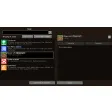
Clear in-game overview for mods
Mod Menu is a lightweight utility that adds a dedicated mods list directly to the Minecraft menu, helping players quickly see what is already installed. Rather than handling downloads or installations, Mod Menu focuses on visibility and access. Each listed entry includes clear identifying information, which makes it easier to confirm active mods without checking folders or external tools. By keeping this information inside the game interface, Mod Menu supports smoother navigation for players managing multiple mods.
Top Recommended Alternative

Everyday access without external tools
Mod Menu improves day-to-day mod interaction by acting as a central access point for supported configuration screens. When a mod includes adjustable options, Mod Menu provides a direct link to those settings from within Minecraft itself. This reduces friction during gameplay sessions and avoids unnecessary switching between applications. Mod Menu also presents installed mods in a clean, scrollable list, which helps reduce confusion in larger modded setups.
Mod Menu is built around a developer-facing API that allows mod creators to expose configuration screens and metadata in a consistent way. While this API works behind the scenes, it benefits players through clearer presentation and easier access to supported settings. Mod Menu does not manage dependencies, downloads, or updates, but its structured layout makes it easier to understand which mods are present and active at any given time.
Final thoughts
Mod Menu succeeds by staying focused on clarity and convenience rather than trying to replace full mod managers or launchers. By embedding a readable mod list and configuration access directly into the Minecraft menu, Mod Menu simplifies routine checks and adjustments during play. It works best as a companion tool alongside external mod installation methods, offering a reliable way to view and interact with installed mods without adding unnecessary complexity.